How to change your docs editor type
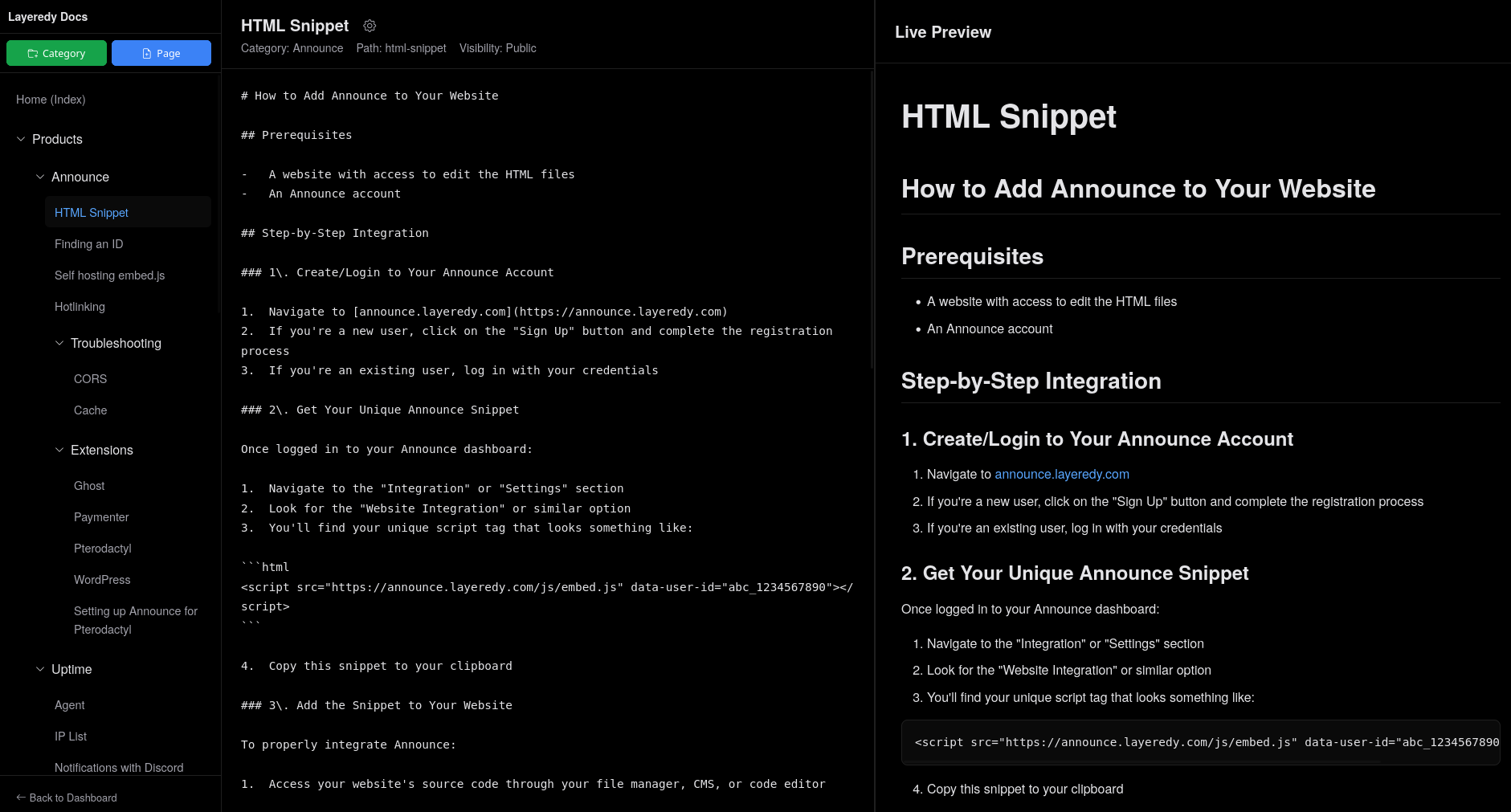
We offer 2 ways for editing your docs pages, 1 being the WYSIWYG editor (default) and the side-by-side editor.
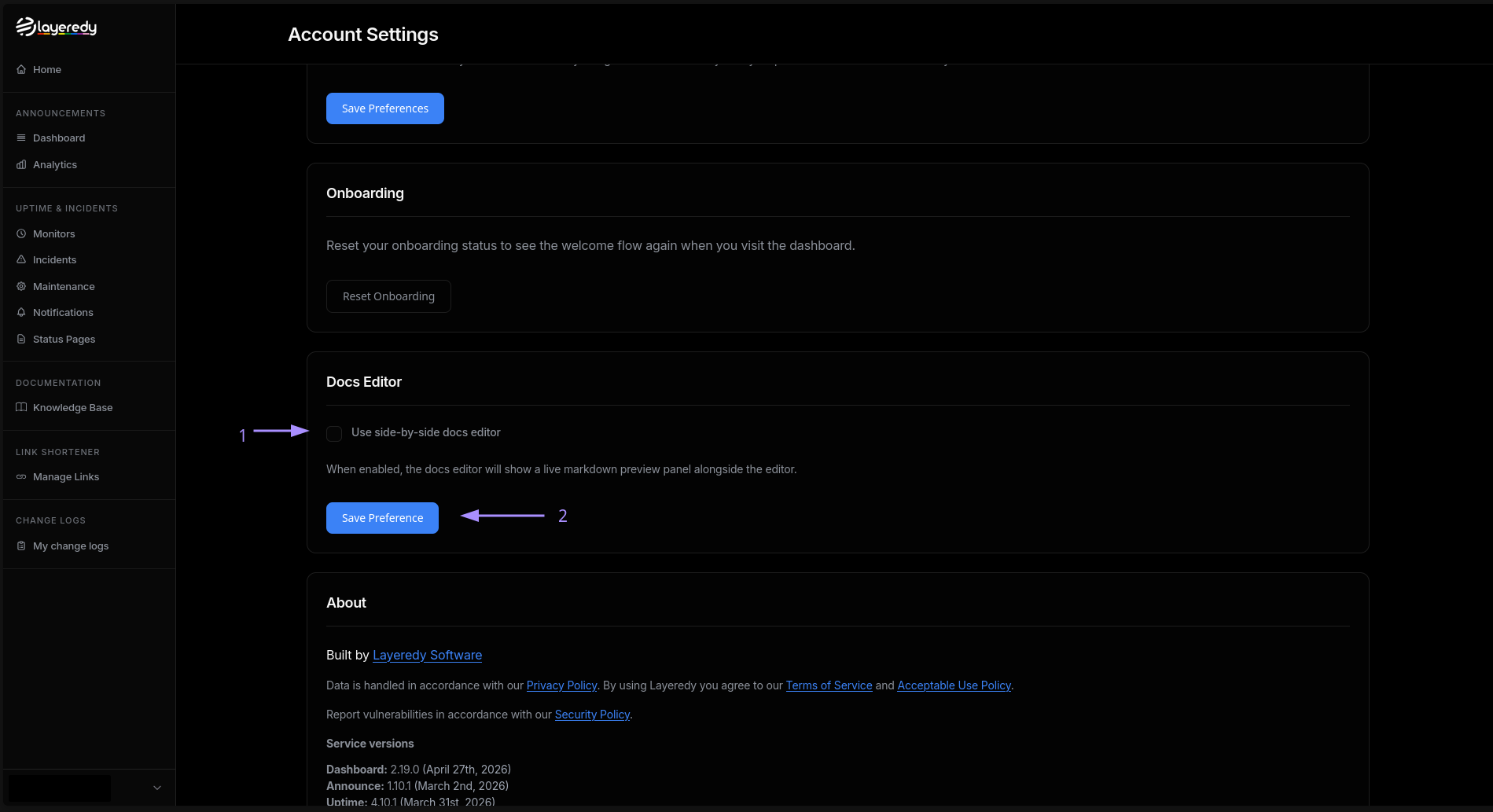
How to change your editor type:
You can change your docs editor type here. You will need to scroll down to "Use side-by-side docs editor" and toggle it on or off depending on what editor you want to use.
Editor types:
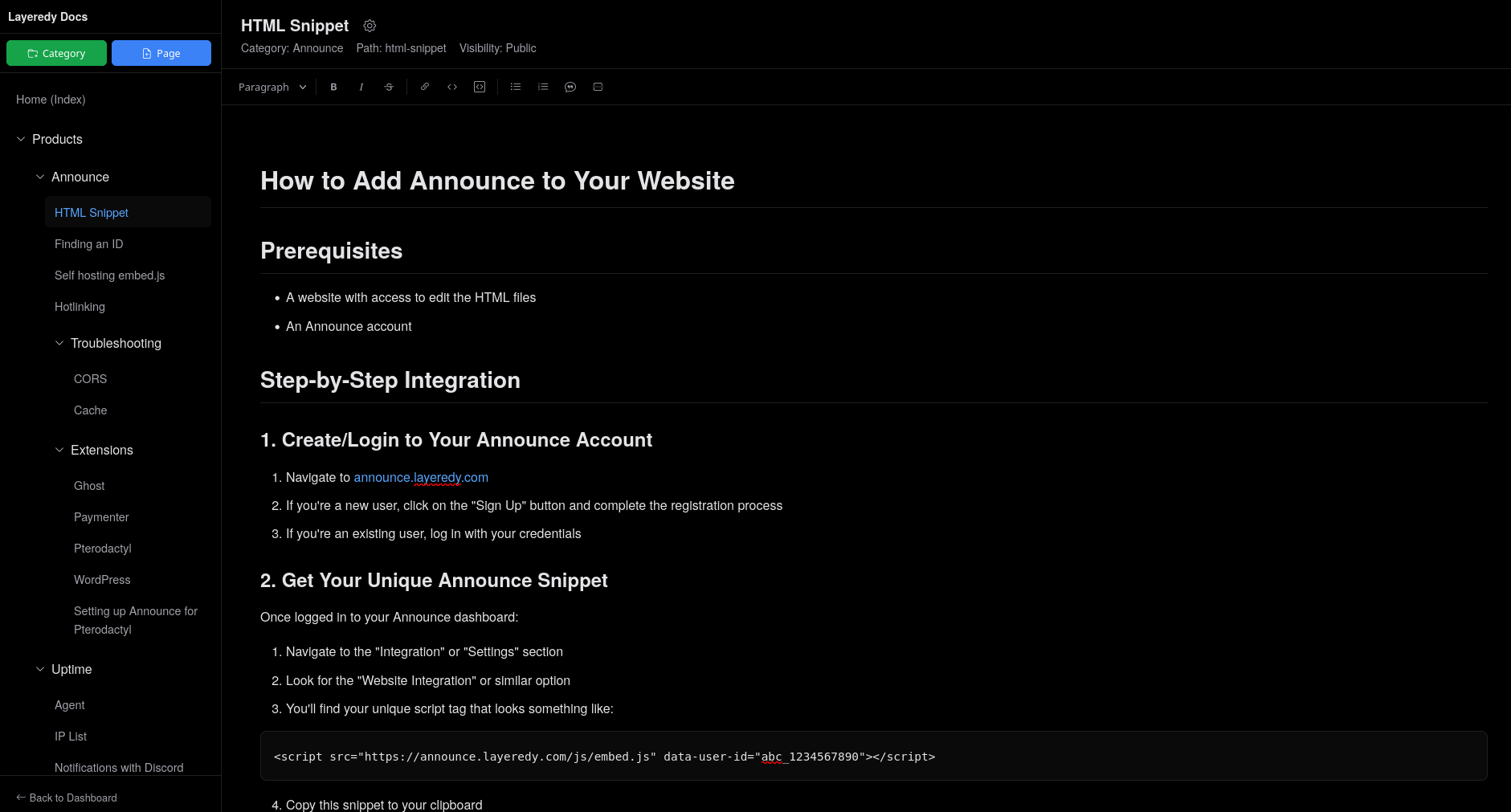
What you see is what you get (WYSIWYG) | Default:
Side-by-side: