
Server agent
Layeredy Server agent is a preview feature designed to gather server statistics via an installed agent, it's source-available at github.com/layeredy/server-agent
Server agent is a premium feature. See pricing for availability.
Setup/Installation:
1: Login to your Layeredy dashboard here and then navigate to the Servers tab
2: Click "Add server" in the top right 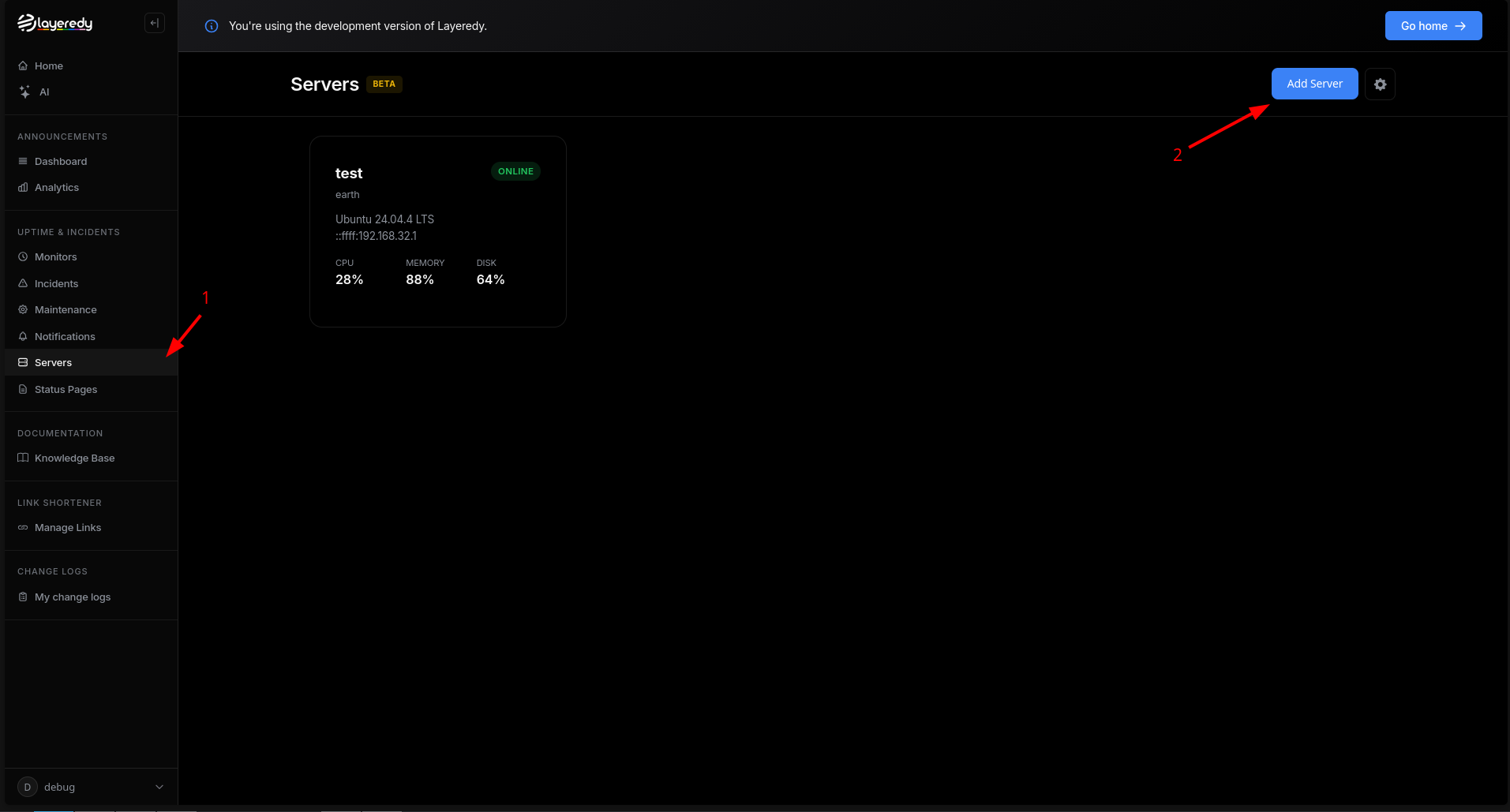 3: Click "Add server" in the top right and then set the name and description
4: Copy the agent token or quick install snippet
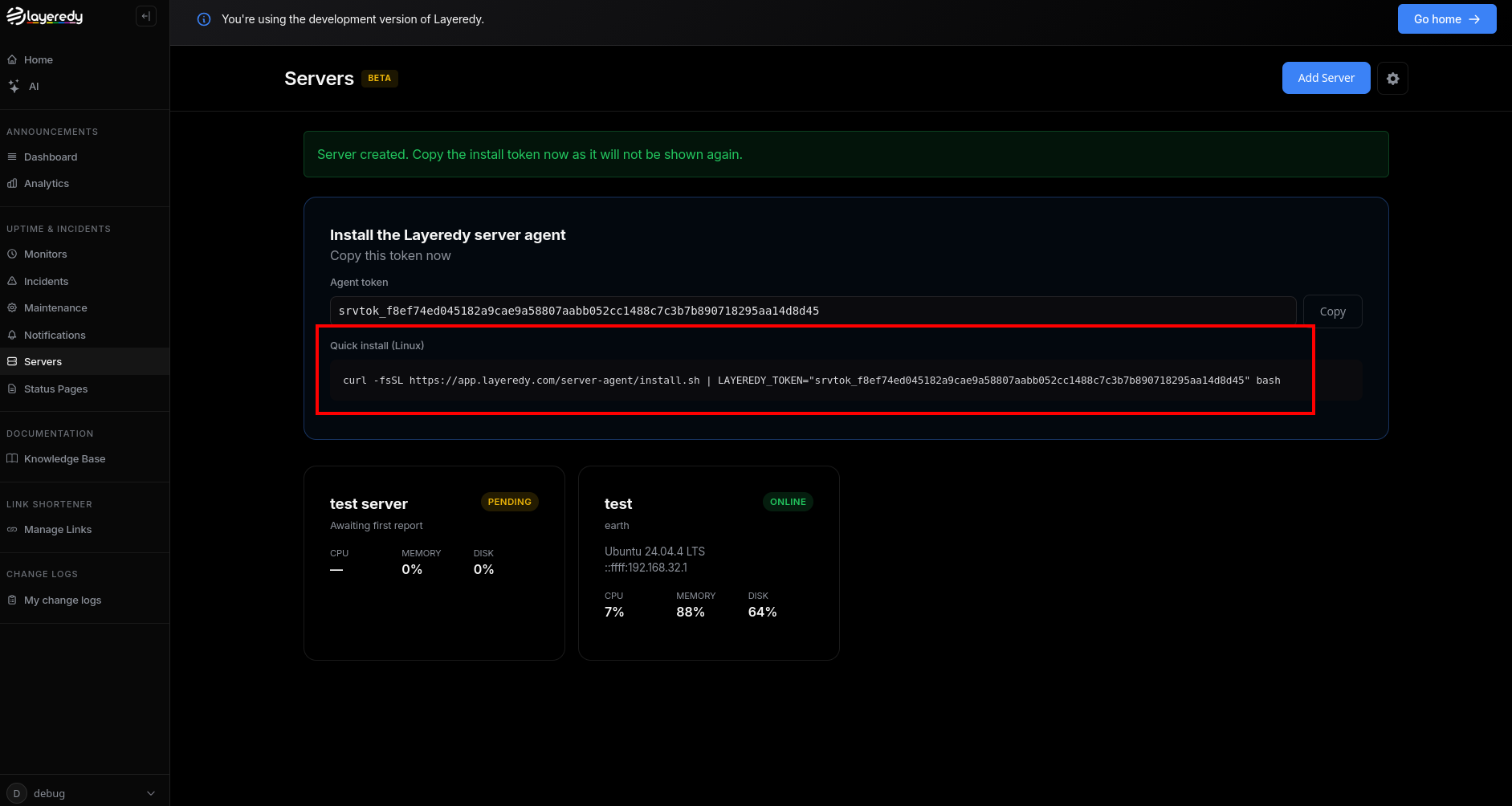
(Note: Layeredy Server Agent only supports Linux-based systems at this time)
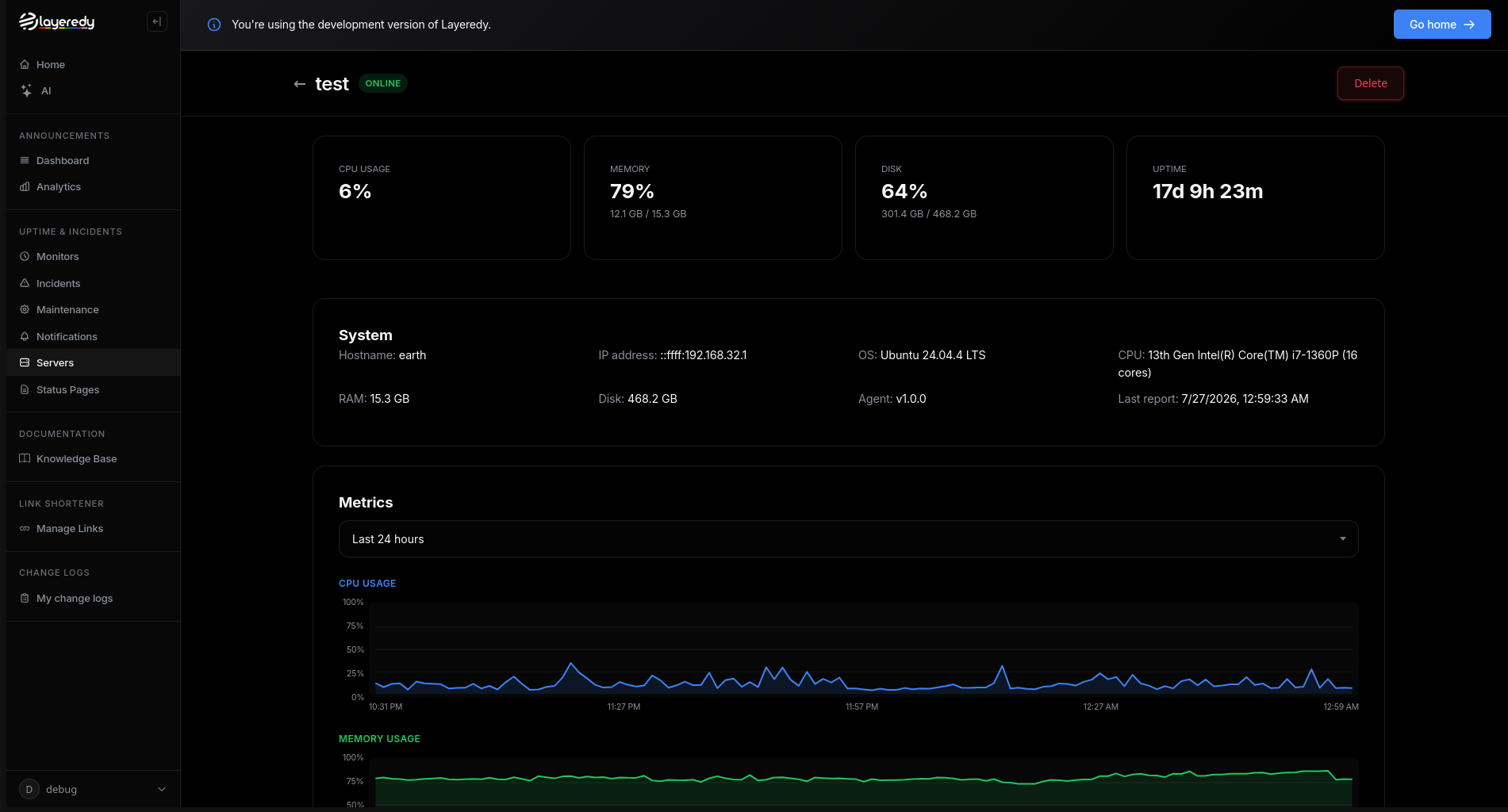
5: Once installed, you should be able to click on your new server to view statistics
Adding to a status page:
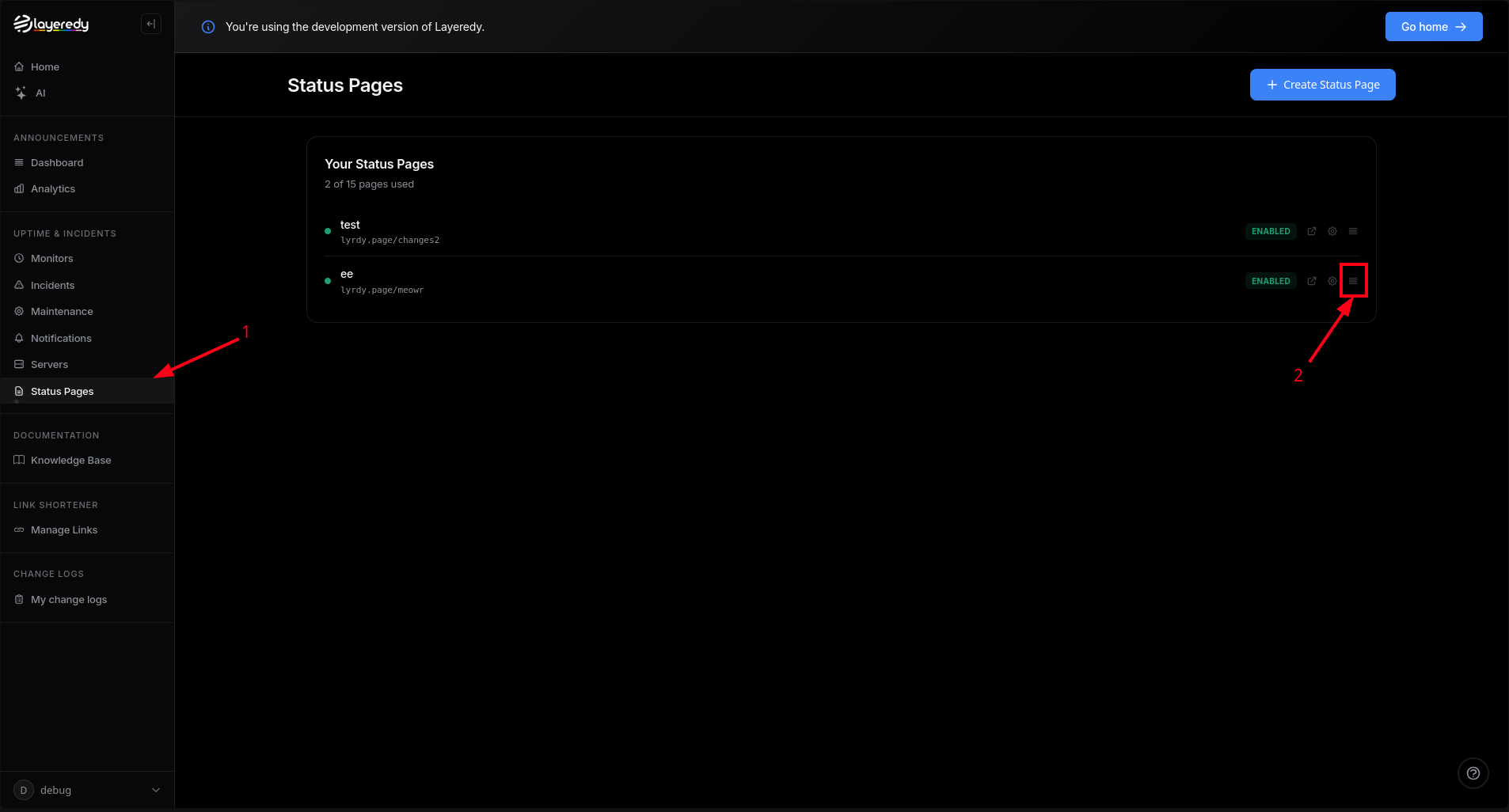
1: Go to the "Status Pages" tab and then click the hamburger menu to open the status page editor
2: Add your server monitor to your page
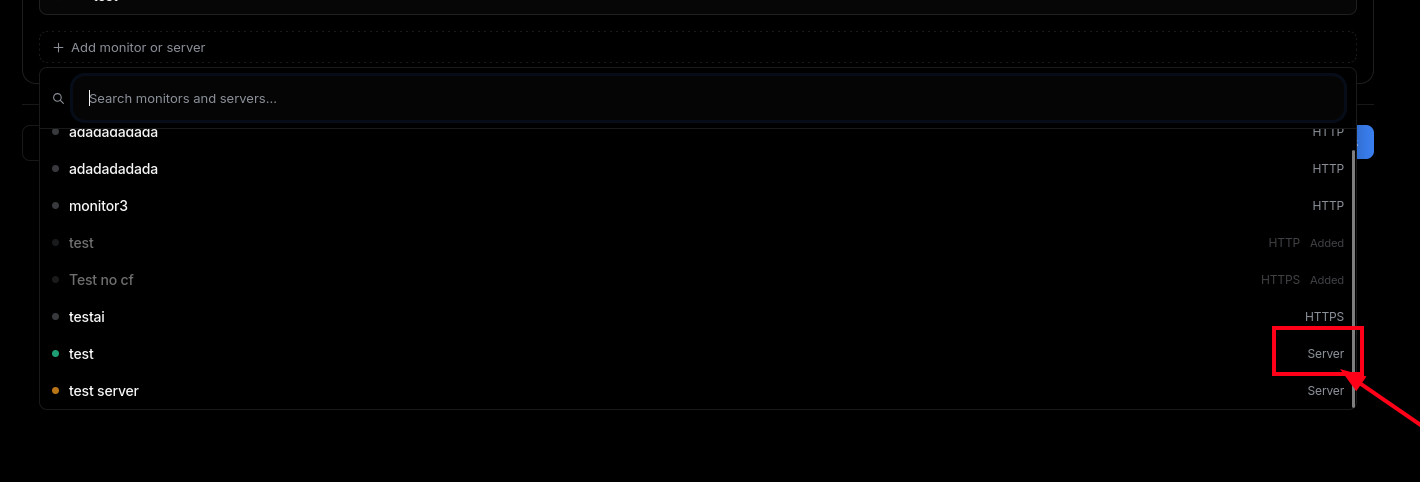
(It will be labeled as "Server" on the right)
3: Save your page and then visit it in a new tab
4: You should now see your new server. Servers are indicated with a cloud icon
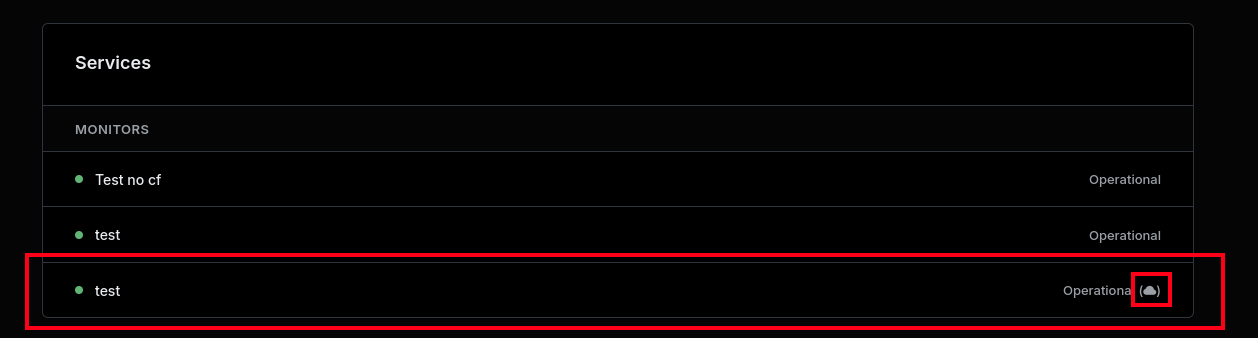
5: You can now click on that monitor to view your server's stats
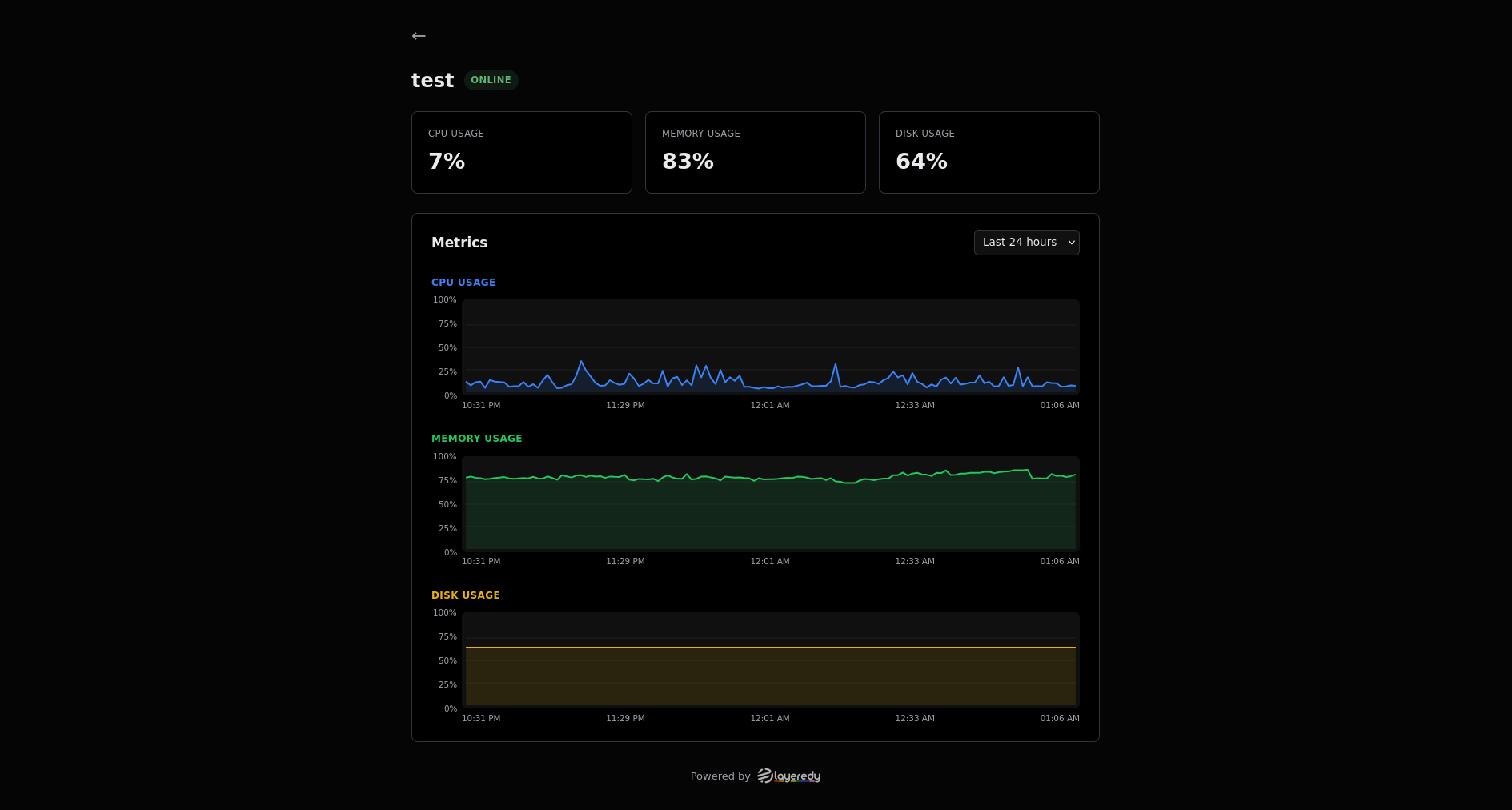
Warning: Putting server statistics on a status page makes them public. Do not put sensitive systems on status pages.